Enable browser notification alerts
Browser alerts for activities like incoming messages can be enabled by following any of the methods given below.
Method 1 - Head over to Home. You will see a dialogue box asking to enable notification (Method 1).
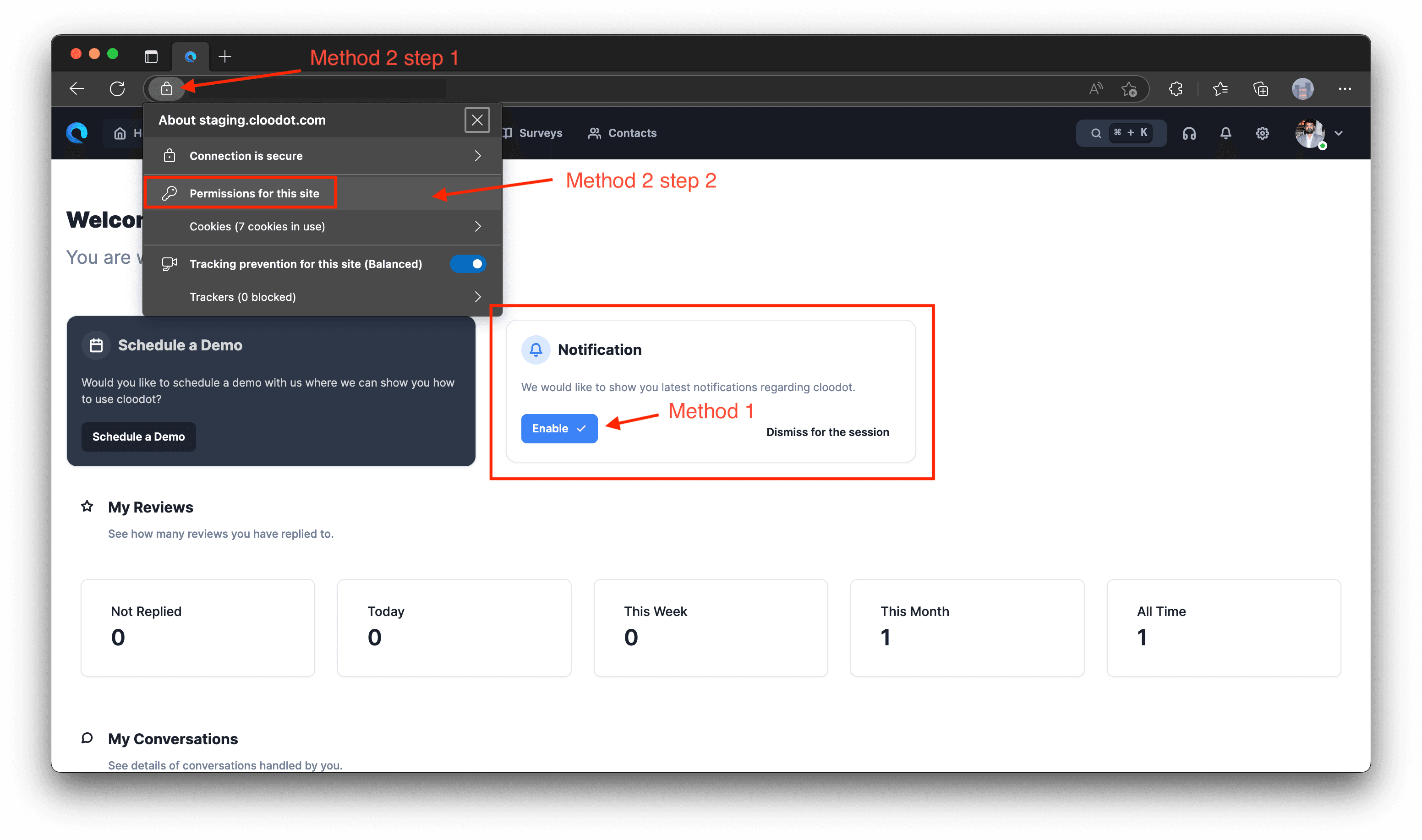
Method 2 - By changing in-browser website settings.
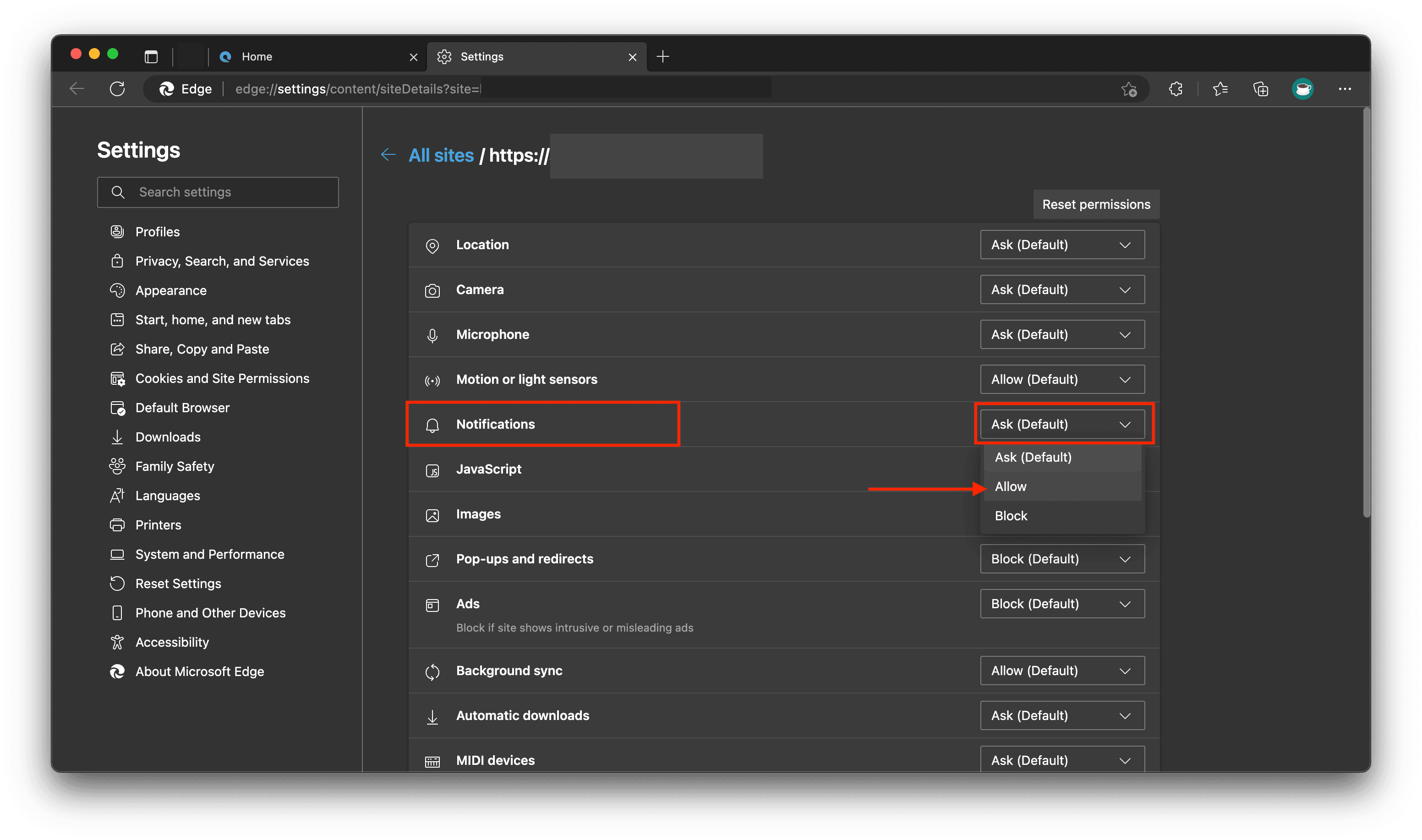
Click on the icon -> Click on ‘Permissions for this site’ -> Click on Notifications -> Select allow from the dropdown