Join an organisation
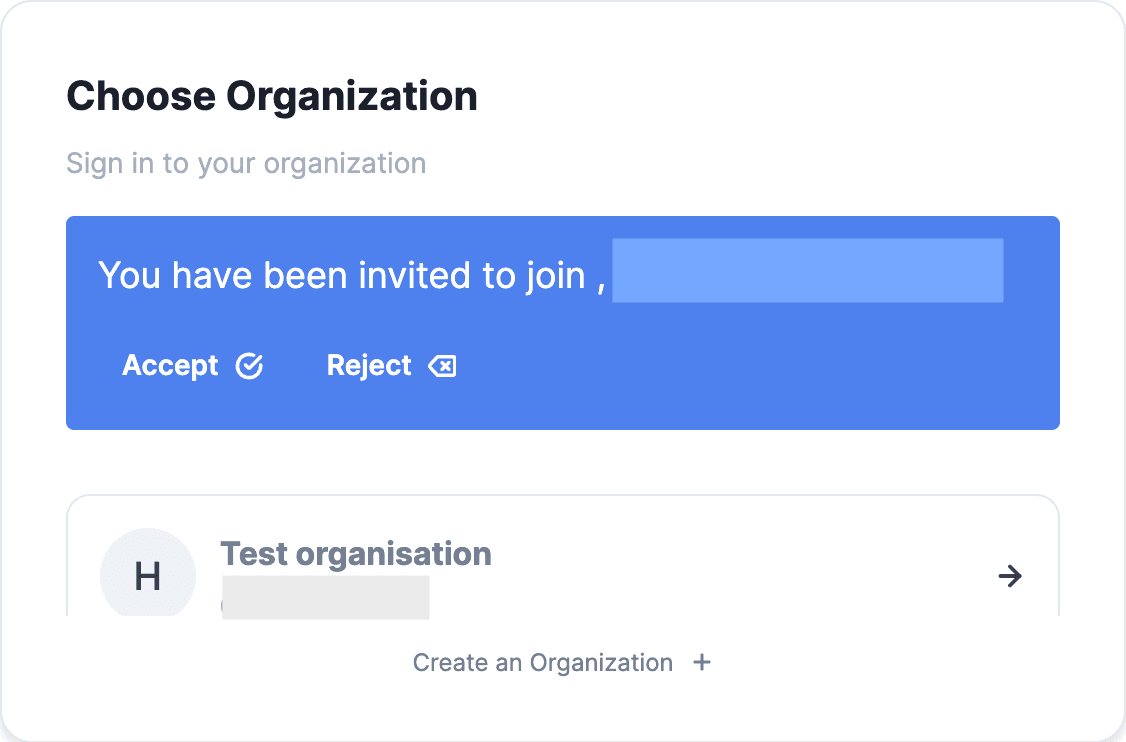
You can join an organisation only if an admin from the organisation has sent you an invitation to join the organisation. Invitation card can be found in the organisation selection page, which can be accessed using any of the following methods.
Method 1 - Sign-out and Sign-in to see the organisation selection page.
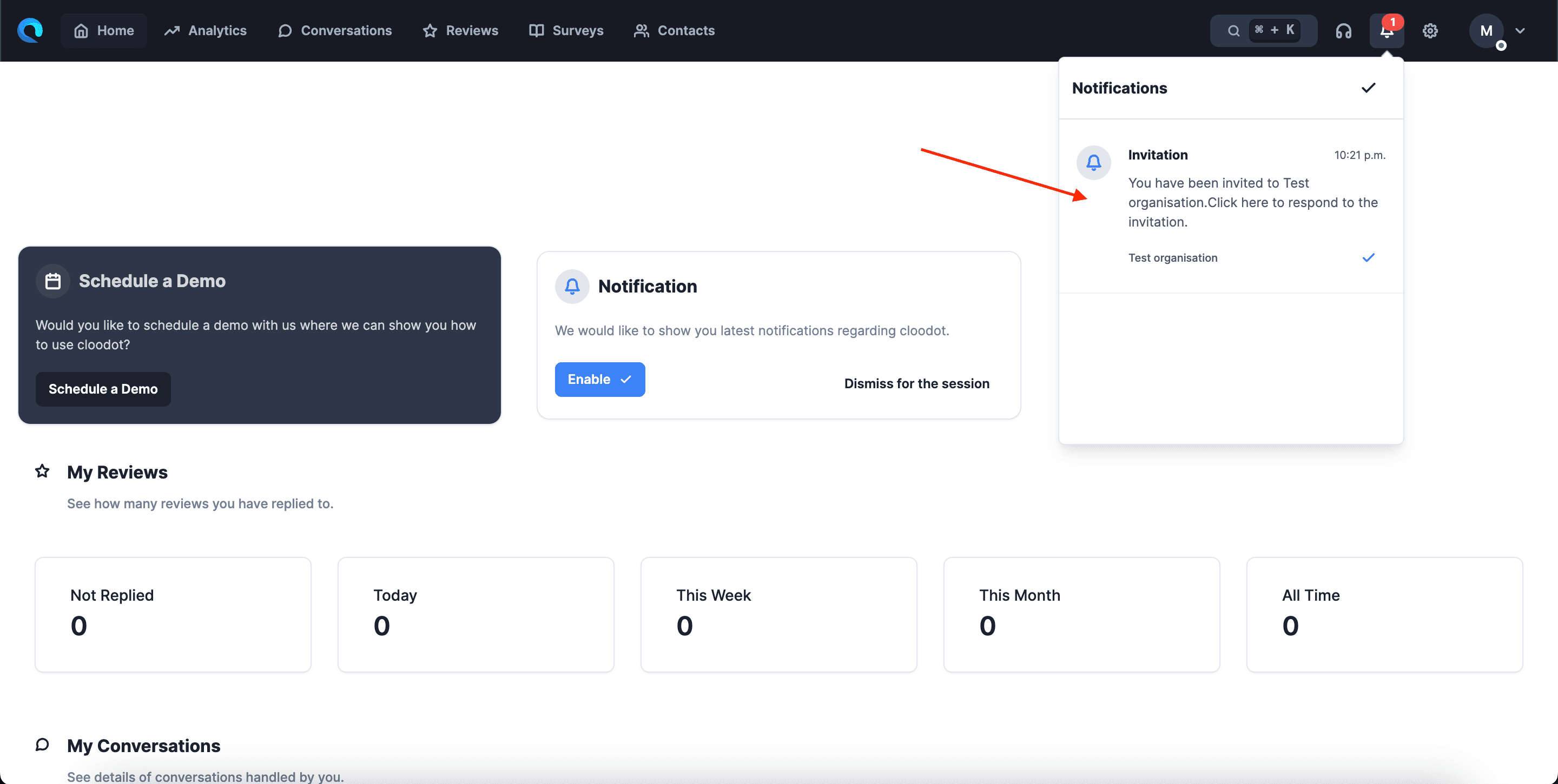
Method 2 - Invitation notification
Method 3 - Directly accessing the organisation selection page (opens in a new tab).
If there is a pending invite, you will see an invitation card as shown below. Click ‘Accept’ if you wish to join the organisation. If not, click ‘Reject’.